There are two ways to configure the program track wiring to the auto SW.
- The regular version is a programming track that you manually put a locomotive on, then put the Power Cab in Program track mode. This programming track will be dead if the Power Power Cab is NOT in Program track mode.
2. A LIVE program track allows you to run a functioning locomotive onto the track, then switch to programming mode.
Option one is safer for misprogramming mistakes or questionable locomotives, and option two is more convenient (drive on/drive off) but less safe.
If you want a dedicated programming track to use with your Power Cab, we have the AutoSW for that purpose. The AutoSW is a smart relay board with one input (two wires from the Power Cab output) and two outputs. There will be one output for the main layout and a second output for a programming track. The Auto-SW senses when you put the Power Cab into program track mode, and then it energizes a relay on the Auto-SW that disconnects the layout track power and connects a dedicated program track. The Auto-SW is designed to detect packets on the DCC track bus that initialize service mode programming, also known as programming track mode. When it sees those packets, it throws a relay, disabling one set of outputs and activating the other. The Auto Switch will operate with other DCC systems such as the Digitrax Empire Builder, Big Boy, or Challenger. The Auto Switch does not operate when using PROGRAM ON MAIN. The AutoSW is designed to be used with the Power Cab in the original starter set configuration only. This will not work with the SB5 because the SB5 does not have a programming track output or programming track capabilities. Therefore, it cannot activate the AutoSW.
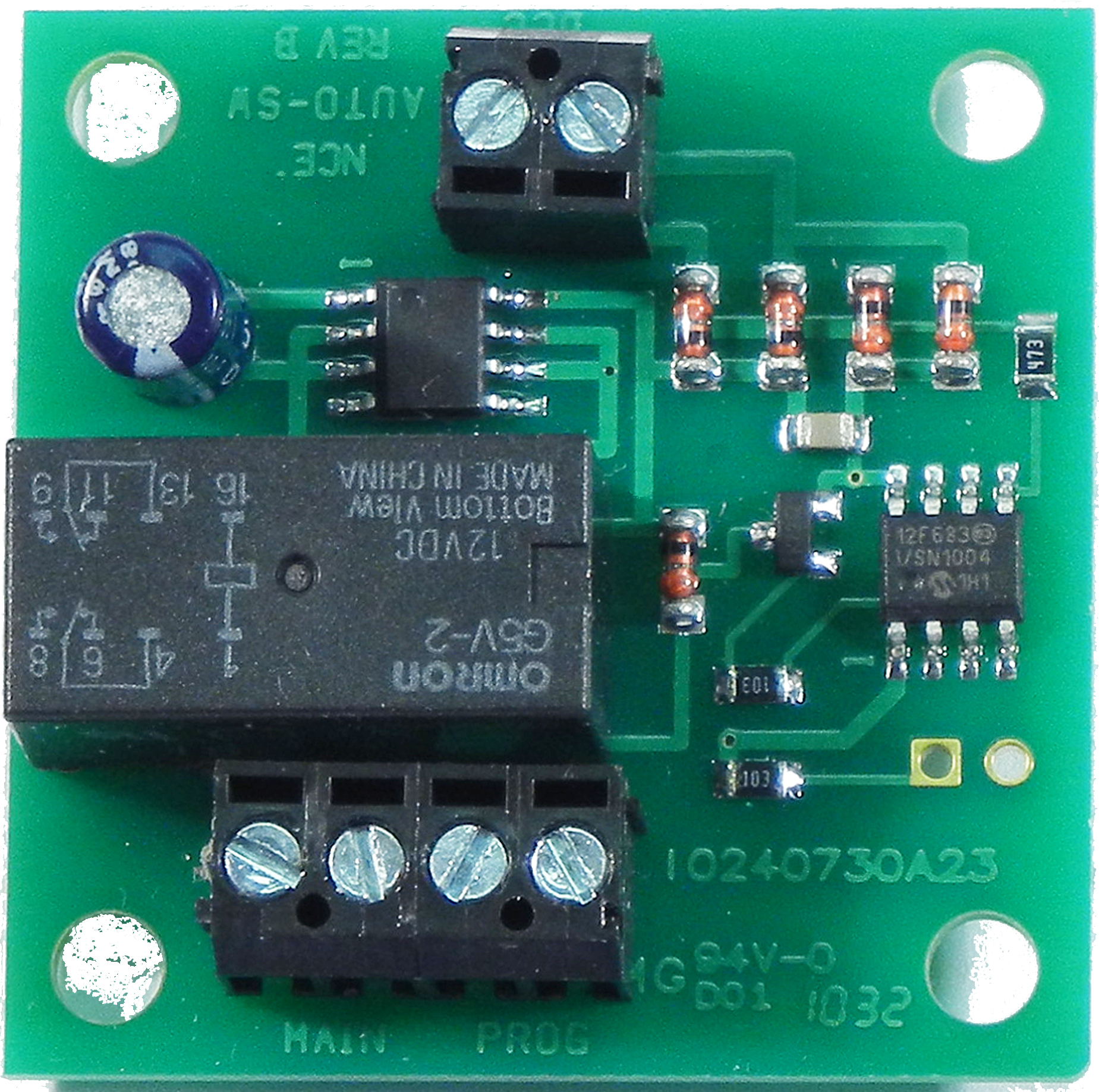
More details about using the Auto-SW with the Power Cab:
Since the Power Cab only has a single two-wire track output, that same output serves as both a track output and a programming output. When you put the Power Cab in “program track” mode, that same output now becomes your program track. This means your entire layout is now a programming track!
Do not confuse this method using the Auto-SW with normal OPS mode programming (POM), Programming On the Main. POM begins by selecting the loco you wish to modify first. This eliminates the possibility of programming multiple locos at once, unless you have multiple locos set to the same address, such as the factory default loco address of 3.
Comments